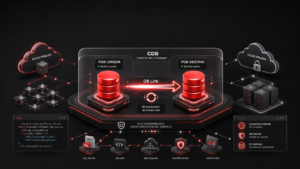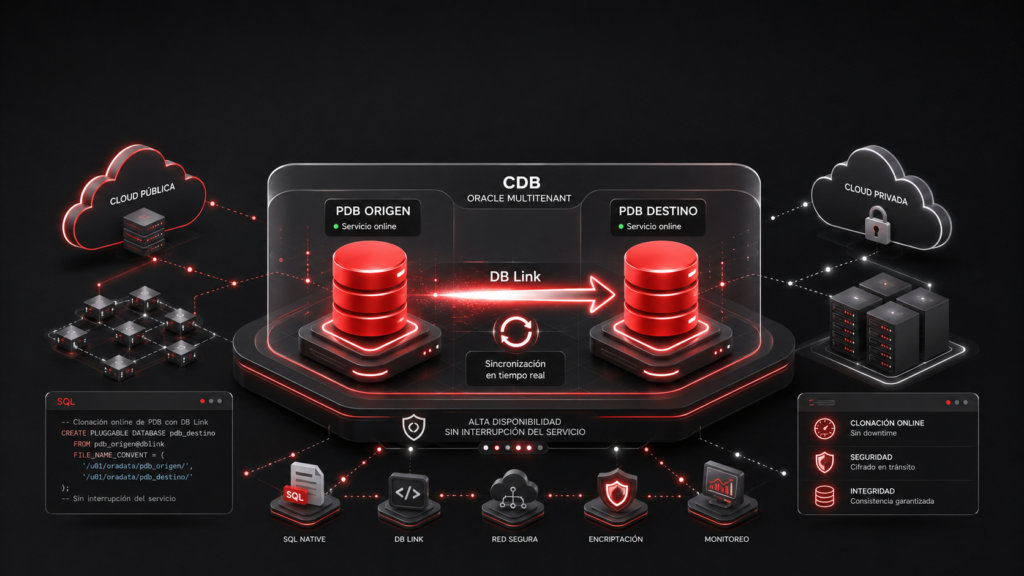
In this post explain how Cloning PDB a different database (container database) on a different database system; this is known as "remote cloning."
Requirements:
| ORIGIN | DESTINATION |
| host: Oracl21_Primary | host: Oracle21_dg |
| Name of the source database (CDB): testsource | Name of the destination database (CDB): testtarget |
| Name of the destination database (PDB): PDB1_SOURCE | Name of the target database (PDB): TEST_TARGETPDB1 |
| Version: 19.3 | Version: 19.3 |
Task 1: Preparing the source environment
First, in the CDB, we create a user that we will use to clone our database.
SQL> show con_id
CON_ID
1
SQL> CREATE USER c##testclone IDENTIFIED BY bdconraul CONTAINER=ALL;
SQL> GRANT CREATE SESSION, CREATE PLUGGABLE DATABASE TO c##testclone CONTAINER=ALL;
In pdb, there is a table in the RAUL schema called SOURCETABLE that we are going to replicate to the destination host—in our case, Oracle21_dg. We check the contents of the table on the source;
SQL> ALTER SESSION SET CONTAINER=PDB1_SOURCE;
SQL> show con_name
CON_NAME
——————-
PDB1_SOURCE
SQL> show con_id
CON_ID
————
3
SQL> select * from RAUL.SOURCETABLE;
ID NAME
—————
1 Raul
2 Juan
3 Pepe
Task 2. Preparing the Target Environment
We add the address pointing to the source CDB database to the tnsnames.ora the destination machine, where we will connect to perform the copy.
cat tnsnames.ora
SOURCE =
(DESCRIPTION =
(ADDRESS = (PROTOCOL = TCP)(HOST = oracle21)(PORT = 1521))
(CONNECT_DATA =
(SERVER = DEDICATED)
(SERVICE_NAME = testsource)
)
)
2.1. The target CDB must be in archive log mode.
archive log ;
SQL> Database log mode: Archive Mode
Automatic archiving: Enabled
Archive destination: USE_DB_RECOVERY_FILE_DEST
Oldest online sequence: 3
Next log sequence to archive: 5
Current log sequence: 5
If you are not in archive log mode, the steps to change the status are as follows:
SHUTDOWN IMMEDIATE;
STARTUP MOUNT;
ALTER DATABASE ARCHIVELOG;
ALTER DATABASE OPEN;
ARCHIVE LOG ;
2.2. Make sure that local_undo_enabled is set to "true" in the destination CDB.
We verify that (Local UNDO) is set to TRUE. This allows us, among other things, to perform a hot clone of the PDB.

2.3. Creación DB_LINK que apunte a la base de datos de origen.
Creamos un db_link desde la base de datos destino apuntando la base de datos origen con el que ejecutaremos la copia.
SQL> show con_id
———————–
1
SQL> CREATE PUBLIC DATABASE LINK clone_pdblink CONNECT TO c##testclone identified by bdconraulusing‘SOURCE‘;
Nota: Nombre del db_link: clone_pdblink usuario conexión BBDD: c##testclone tnsnames name=SOURCE
Comprobamos que el db_link se ha creado correctamente:

Task 3. Cloning the remote database.
We run the clone command from the destination database, pointing to the source database via the db_lnik created earlier.
SQL> alter session set global_names=false;
Session altered.
SQL> create pluggable database CLONE_PDB1 from PDB1_SOURCE@clone_pdblink;
Pluggable database created.
Task 4. Open PDB created PDB :
By default, the database (pdb) is created in a mounted state. Open the pdb.
SQL> alter pluggable database test_targetpdb1 open;
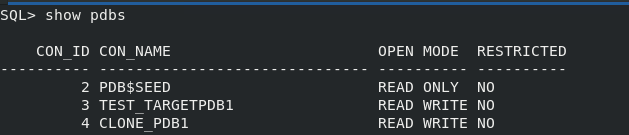
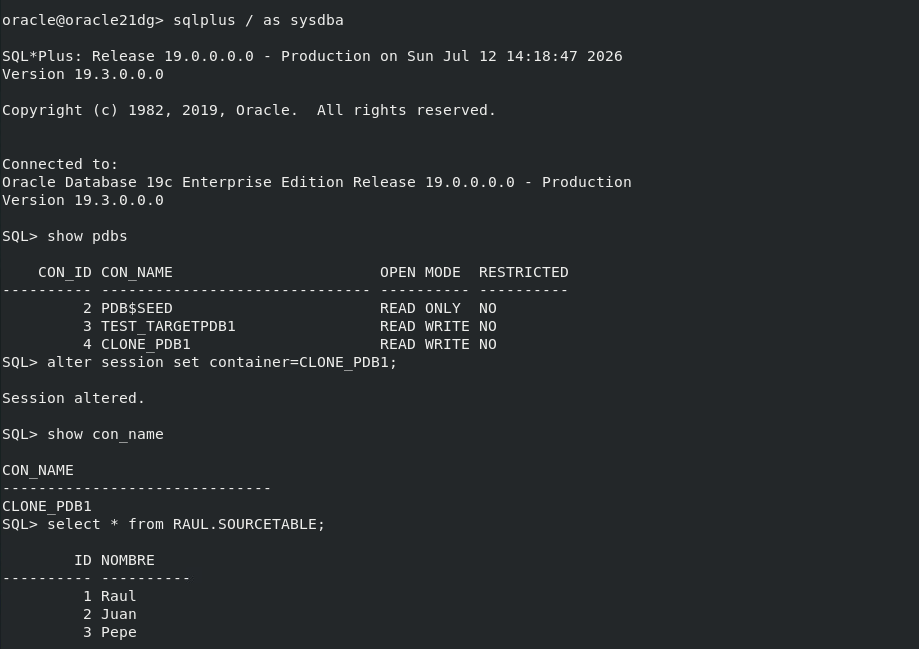
Task 5. We check to make sure everything is correct.
We verified that the PDB its data have been successfully replicated to the destination.