
A VCN a software virtual private network software is configured within Oracle Infrastructure and closely resembles a traditional network, with firewall rules, gateways, etc., and is used to deploy your Oracle environment. In this example, we will create a VCN will then be used to deploy our database on OCI.
The steps to create an Oracle Infrastructure VCN are as follows:
First, we need to log in to the OCI console OCI our username and password. Once logged in:
1- Tap the Navigation Menu in the upper-left corner of the screen. From the drop-down menu, tap Networking -> Virtual Networks.
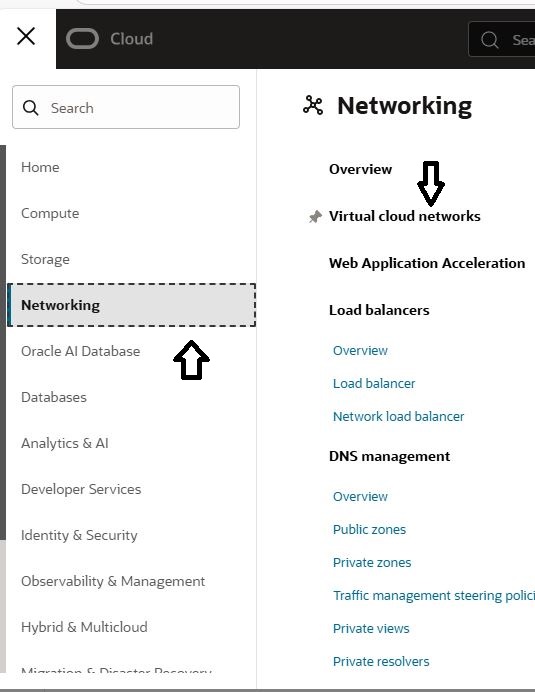
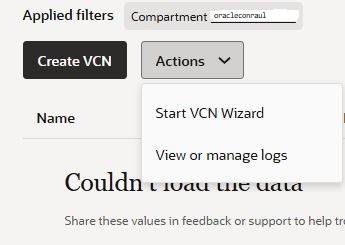
In the drop-down menu, select your Compartment and launch the VCN Wizard by clicking the “Start VCN option
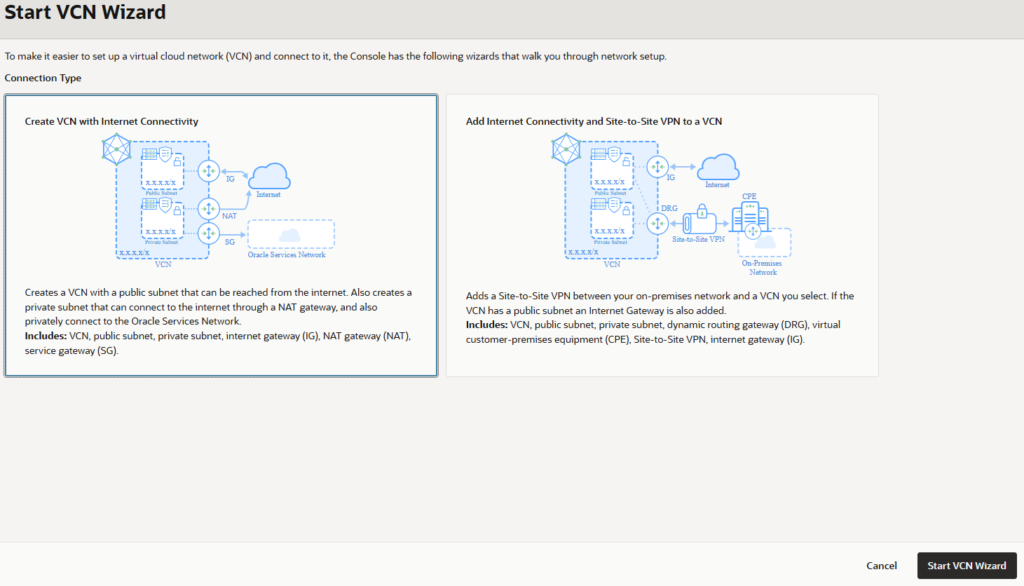
We selected the " CREATE vcn Internet connectivity " option and clicked the "Start vcn " button .
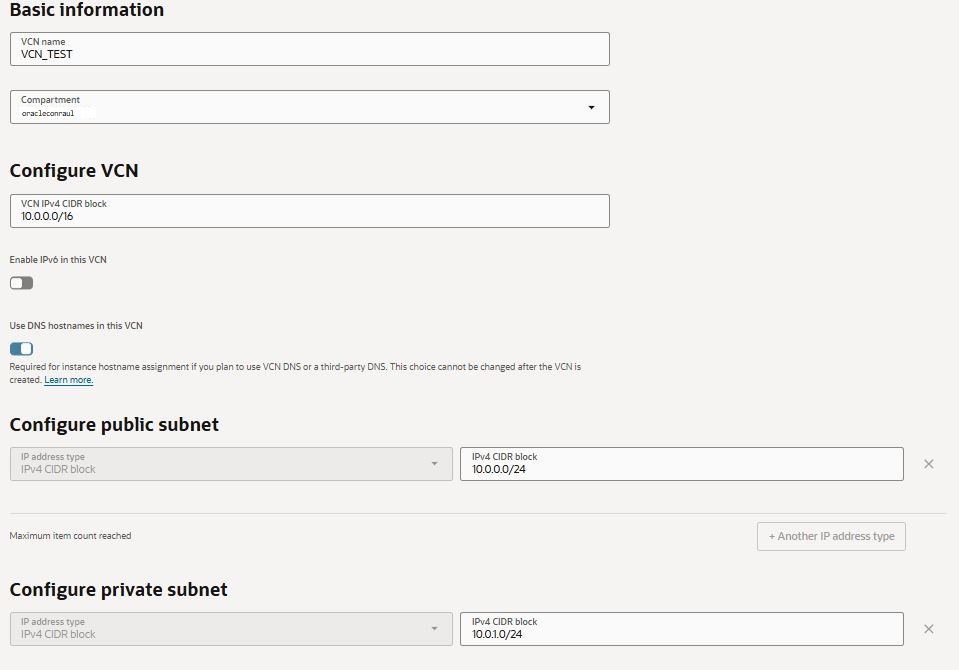
Fill in the following information:
- VCN name
- COMPARTMENT
- BCN CIDR BLOCK: 10.0.0.0/16
- PUBLIC SUBNET CIDR BLOCK 10.0.0.0/24
We accept and click the create button.
The services will begin to be created.
If everything goes well, a window similar to the following will appear.
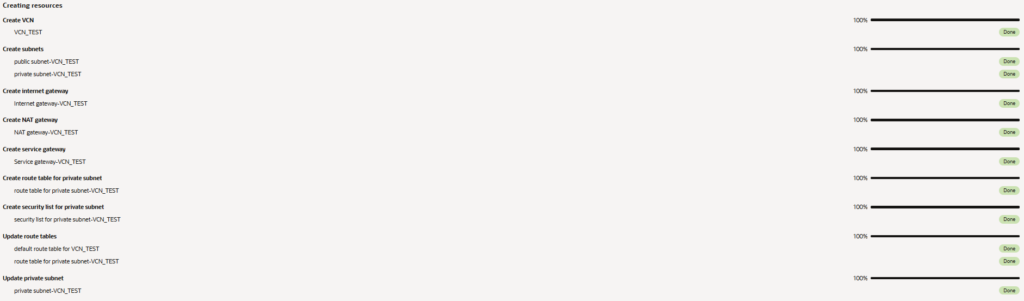
Click the "VIEW vcn" button
In the VCN resources VCN you VCN see VCN your resource has been created and is ready to use.

It is important that the status is "AVAILABLE."