At this link created an Oracle database Oracle the cloud
https://bdconraul.com/oracle_base_database_cloud_service/
When we try to connect to the database with Putty , this error Putty .
Putty the error "OpenSSH SSH-2 private key (old PEM format)".
The process has been as follows:
We configure the connection via Putty according to the parameters in the previous link.
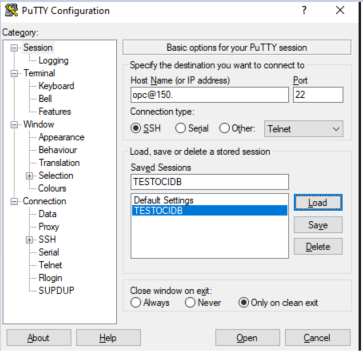
Note: To configure OCI key authentication, we will upload the key to Category -> Connection -> SSH -> Auth -> Credentials.
When we connect, the error appears.

This is because Putty support OpenSSH private keys. However, there are other tools such as MobaXterm, which we used to connect in the previous example, although there are others.
To avoid this error, we need to convert the private key to the PPk format used by PuTTY.
There are several ways to do this. We will use openssl rsa, an SSL tool that manages public and private keys and allows formats to be converted.
In a Linux terminal, simply run the following:
keyinlocation: Private entrance route generated by OCI.
keyofflocation.key: Name of the private key file that we will load with PuTTY.
openssl rsa -in <keyinlocation.key> -out <keyofflocation.key>
ls private
oracleconraul_private.key
openssl rsa -in oracleconraul_private.key -out oracleconraul_privateputty.key
ls private
oracleconraul_private.key oracleconraul_privateputty.key
Load the PuTTY Generator application and load the key generated in the previous command "oracleconraul_privateputty.key"via File -> Load Private Key.
The following message will appear.
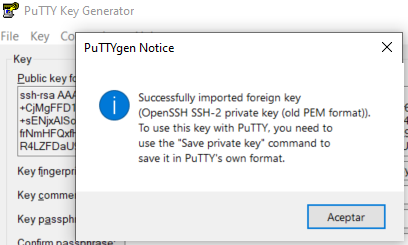
Now click on the "Save Private Key" button.
At this point, we can now establish the connection. We run the application PuTTYapplication, and as we did before ( Category -> Connection->SSH->Auth->Credentials), we indicate the path of the key generated with the PuTTY Generator and try to connect again.
This time, the connection is established correctly.
Using username "opc".
Authenticating with public key "imported-openssh-key"
Last login: Fri Feb 13 00:00:36 2026 from 2.X.X.X
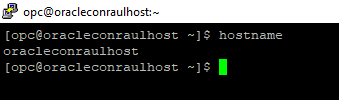
[opc@oracleconraulhost ~]$ hostname
oracleconraulhost
[opc@oracleconraulhost ~]$